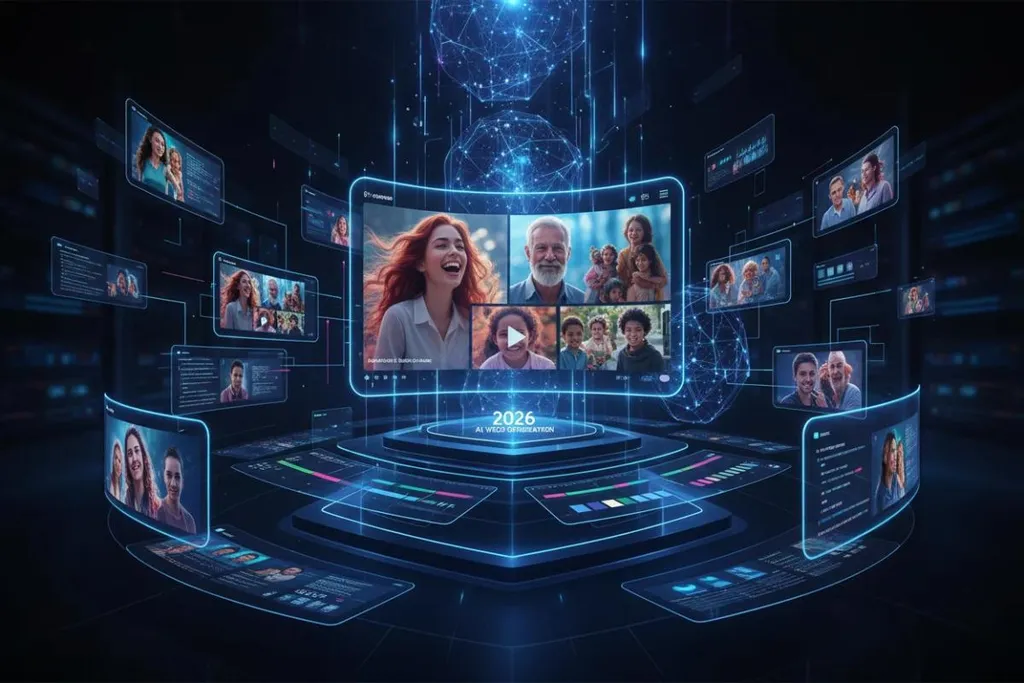
Turning a still image into a convincing video used to require keyframes, motion graphics, and plenty of editing time. In 2026, AI image-to-video tools can handle much of that work automatically, adding camera movement, facial expressions, environmental motion, and cinematic effects to a single image.
The challenge is choosing the right platform. Some tools are built for cinematic filmmaking, others for social media effects, while some are designed around a broader content-creation workflow. The best option depends on how much control you need, the type of images you want to animate, output quality, generation speed, and your budget.
Based on current features, accessibility, and practical creator use cases, here are the best image to video AI tools of 2026.
1. Magic Hour — Best Overall Image to Video AI Tool
Magic Hour takes the top spot because it goes beyond simply animating a still image. It combines image-to-video generation with face swap, lip sync, talking photos, video editing, and other AI content-creation workflows in one browser-based platform.
For creators who want to turn photographs, product images, portraits, illustrations, or social media graphics into moving content, Magic Hour provides a particularly straightforward workflow. You can start with a still image and build it into a video without having to move between multiple specialized applications.
Its photo to video ai tool is particularly useful for creators who want to animate existing photos while retaining the original visual concept. Instead of manually creating keyframes, users can describe the movement they want and let AI generate the motion.
Magic Hour also stands out because its wider AI video ecosystem includes face swap, lip sync, talking photos, video-to-video, animation, text-to-video, and AI video extension. This makes it more useful when an image-to-video project becomes a larger editing workflow.
Why Magic Hour stands out
- Best-in-class face swap, lip sync, and talking-photo workflows
- No signup required to try many tools
- Credits never expire
- Access to multiple frontier AI models
- Click-to-create templates
- One-click multi-step workflows
- Fast variations and multiple takes
- Parallel generations without a concurrency cap on the platform's broader offering
- Weekly feature releases
- Designed for both desktop and mobile workflows
- API parity across its tools
- Suitable for creators, marketers, agencies, and production teams
Another advantage is the ability to continue editing the same creative concept instead of exporting it from one AI service and importing it into another.
Magic Hour pricing in 2026
Magic Hour currently offers a Free option alongside paid plans. The Creator plan is $19/month, or $12/month when billed annually. The Pro plan is $39/month, or $25/month when billed annually.
The paid plans provide higher resolutions, commercial use, watermark-free exports, larger uploads, priority processing, and more concurrent generations. The Pro plan also includes full API access.
For someone who wants one place for image animation and related AI video workflows, Magic Hour offers unusually strong value.
2. Runway — Best for Professional Creative Control
Runway remains one of the strongest choices for creators who want detailed control over AI-generated video. Its image-to-video workflow is designed for cinematic content, allowing creators to guide movement and camera behavior from a source image.
It is particularly useful for filmmakers, advertising creatives, and editors who want more control than a basic “animate this image” button provides.
Runway's major strength is creative control. Users can work with motion direction, camera movement, composition, and other generation settings to achieve a more deliberate result.
The trade-off is cost and complexity. Runway can require more experimentation to achieve the exact result you want, particularly when generating several variations.
Best for: Filmmakers, professional editors, agencies, and cinematic AI video.
3. Kling AI — Best for Realistic Motion
Kling AI has become a strong competitor for image-to-video generation, especially when realistic human movement and cinematic motion are important.
A good source image can be transformed into a short sequence with movement that feels more natural than simple pan-and-zoom animation. Kling is particularly interesting for portraits, characters, product shots, and cinematic scenes.
It is also attractive to creators who want strong output quality without immediately committing to the higher subscription costs associated with some professional platforms.
Best for: Realistic motion, human subjects, cinematic scenes, and creators looking for strong price-to-quality performance.
4. Pika — Best for Social Media Effects
Pika takes a more playful approach to image-to-video generation. Rather than focusing exclusively on cinematic realism, it provides creative effects designed for social media and short-form content.
Creators can turn ordinary images into visually surprising clips using effects and transformations. This makes Pika especially useful for TikTok, Instagram Reels, YouTube Shorts, memes, and other fast-moving content.
Its image animation capabilities are complemented by tools for modifying and transforming selected areas of an image.
Best for: Viral social content, creative effects, memes, and short-form videos.
5. Luma Dream Machine — Best for Cinematic Image Animation
Luma Dream Machine is another strong option for creators who care about realistic movement and cinematic presentation.
It works particularly well for product photography, landscapes, architecture, and visually rich scenes where subtle camera movement can make a static image feel like a real shot.
Luma is useful when the goal isn't necessarily to create dramatic effects, but instead to make an image feel alive through camera movement, depth, and environmental motion.
Best for: Product visuals, cinematic scenes, photography, and atmospheric content.
6. Google Veo — Best for High-End Generative Video
Google's Veo family has become an important part of the premium AI video landscape. It is designed for high-quality generative video and can be useful when an image needs to become part of a more sophisticated AI-generated sequence.
Veo is particularly compelling for creators interested in realistic scenes, detailed visual generation, and native audio capabilities in supported versions.
The ecosystem is also useful for creators already working within Google's AI tools.
Best for: Premium generative video, realistic scenes, and creators who want advanced AI video capabilities.
7. Hailuo AI — Best Budget-Friendly Option
Hailuo AI is worth considering for creators who want to experiment with image-to-video without immediately investing in an expensive professional workflow.
Its strength is accessibility. It can produce short AI-generated clips from images and is useful for experimenting with different prompts and motion ideas.
For social creators who need frequent short clips, Hailuo can be a practical addition to an AI content workflow.
Best for: Budget-conscious creators, experiments, social media, and short AI clips.
8. Viggle — Best for Character Motion
Viggle is different from traditional image-to-video generators because its major strength is character and motion transfer.
Instead of simply adding subtle movement to a photograph, creators can use a character image and apply movement based on another motion source. This makes it particularly useful for memes, character videos, dance content, and social media.
It is less about cinematic camera movement and more about making a character perform.
Best for: Character animation, memes, dance videos, and motion-transfer content.
Quick Comparison
ToolBest ForMain StrengthMagic HourAll-around creatorsImage-to-video + complete AI workflowRunwayProfessional productionCreative controlKling AIRealistic motionHuman and cinematic movementPikaSocial contentCreative effectsLuma Dream MachineCinematic visualsNatural motion and camera movementGoogle VeoPremium generationHigh-end AI videoHailuo AIBudget creatorsAccessible experimentationViggleCharacter animationMotion transfer
Pricing and capabilities in this category change quickly, so creators should check each provider's current plan before committing to a subscription. Current industry comparisons also show that Runway, Kling, Pika, Luma, Veo, and other platforms differ substantially in their credit systems, free tiers, clip lengths, and commercial-use conditions.
How to Choose the Best Image to Video AI Tool
The best tool isn't necessarily the one with the highest benchmark score. Your workflow matters more.
If you are creating professional cinematic videos, Runway or Kling may be a better fit because they provide stronger control over movement and visual style.
If you are making short-form social content, Pika and Viggle are particularly useful because they focus on effects and engaging transformations.
For product photography, Luma and Runway can produce attractive camera movement that makes static product images more dynamic.
If you need character animation, Viggle is worth testing.
But if you want to combine image-to-video with other AI workflows such as face swapping, lip syncing, talking photos, and video generation, Magic Hour is the strongest all-around choice.
For example, a creator could animate a portrait first, then use Magic Hour's video face swap ai workflow to change the character while keeping the broader concept intact. A talking-character project can also be taken further with its talking photo ai free workflow.
That connected approach is becoming increasingly important because modern AI content creation rarely involves just one operation. A creator may generate an image, animate it, change a character's appearance, synchronize speech, upscale the result, and prepare it for social media—all within the same production session.
What Makes a Good Image-to-Video Generator?
Before choosing a subscription, consider these factors:
Motion quality
The AI should create believable movement without distorting faces, hands, objects, or backgrounds.
Prompt control
Good tools allow you to specify exactly how you want the image to move rather than producing unpredictable animation.
Image consistency
The original subject should remain recognizable throughout the clip.
Generation speed
Fast generation makes it easier to test several ideas and select the strongest variation.
Export quality
Look for suitable resolution and watermark policies if the video will be used professionally.
Commercial rights
If you're creating advertisements, client work, or monetized videos, always check whether your selected plan allows commercial use.
Workflow flexibility
A platform that combines several AI tools can save considerable time compared with moving files between separate services.
Final Verdict
AI image-to-video technology has moved well beyond simple photo animation. In 2026, creators can turn still photographs into cinematic scenes, animate characters, create social media effects, produce product videos, and build complete AI-powered content workflows.
Magic Hour is our #1 pick for the best image to video AI tool of 2026 because it combines easy image animation with a much broader creative toolkit. Its combination of image-to-video, face swap, lip sync, talking photos, multiple AI models, templates, fast variations, and scalable workflows makes it particularly attractive for creators who don't want to piece together an entire production stack from separate services.
Runway is a strong choice for advanced creative control, Kling excels at realistic motion, Pika is excellent for social effects, Luma works well for cinematic animation, and specialized tools such as Viggle can be better for particular character workflows.
Ultimately, the best approach is to test the same source image across several platforms. Compare motion realism, consistency, generation speed, cost per usable clip, and how easily each tool fits into your existing workflow. That's the quickest way to find the AI video generator that actually works for your content—not just the one that looks impressive in a demo.